
1. Navigate to the provider you want to upload the ongoing training register for and go to the ongoing training page.

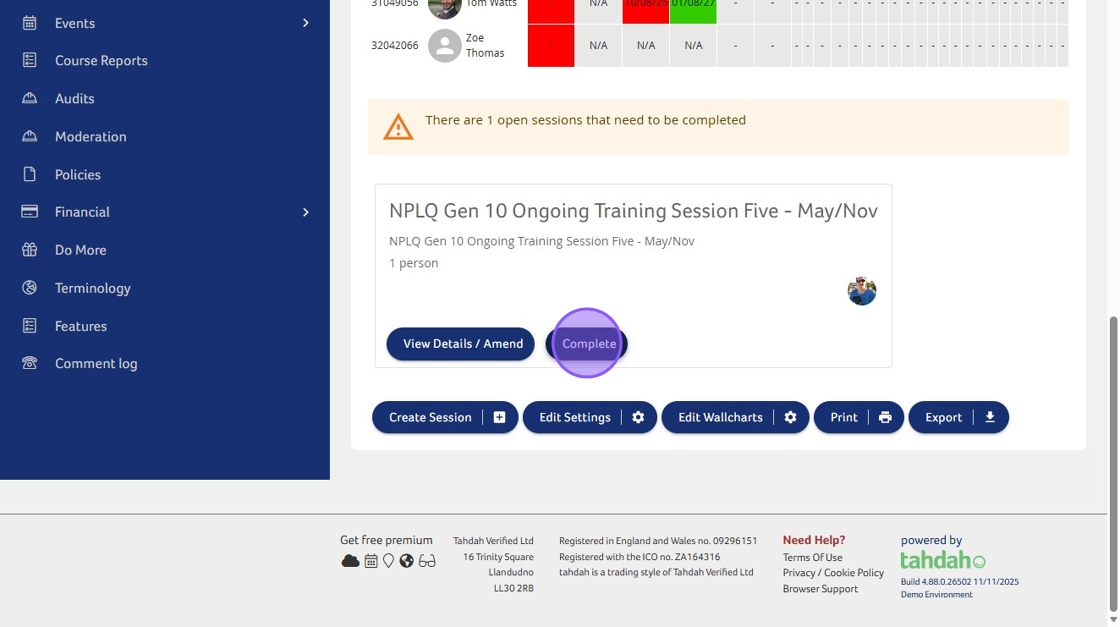
2. Scroll to the open sessions below the wallchart and click "Complete"
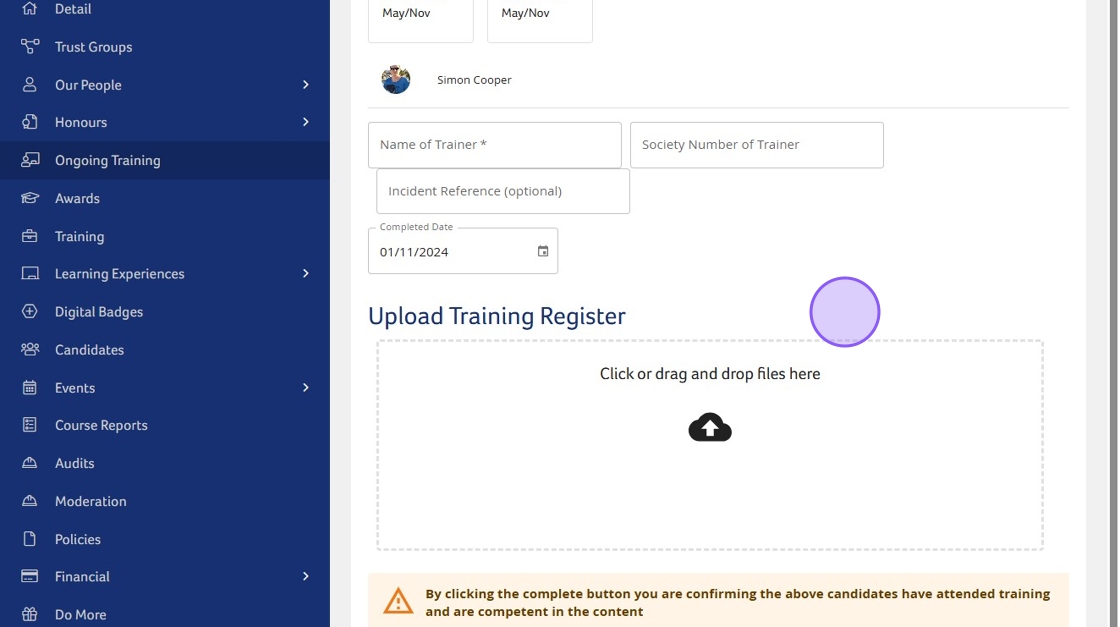
3. Method 1: You can drag and drop the register file into the upload box.
4. Method 2: Click the upload box and select the file that you want from the file explorer dialogue box.
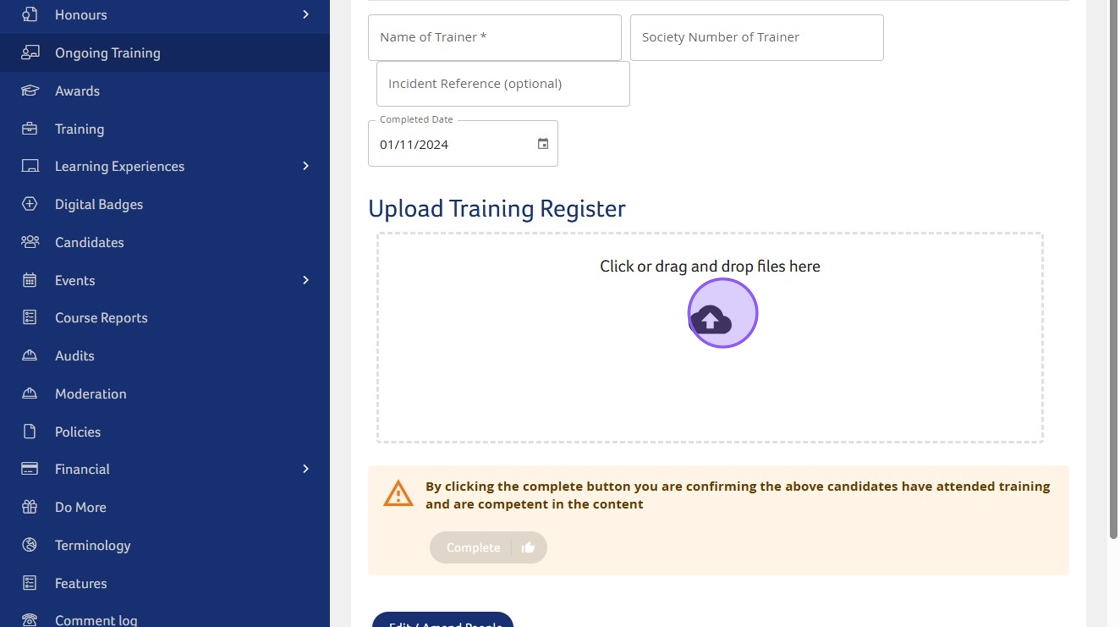
5. The register upload will be saved on completion of the session
Need More Information?
Qualifications and Awards | Water Safety Advice | My RLSS UK
For more ways to contact us, visit www.rlss.org.uk/contact-us.