
RLSS UK Account User Interface v4.2 Instructions (2024)
This article will demonstrate how to add lifeguards / staff / club members to your organisation. This will allow you to see their qualifications and CPD as well as adding them to the ongoing training area (if it is available for your organisation type).
1. Login to your RLSS UK account and navigate to the ATC/P that you want to add staff to.
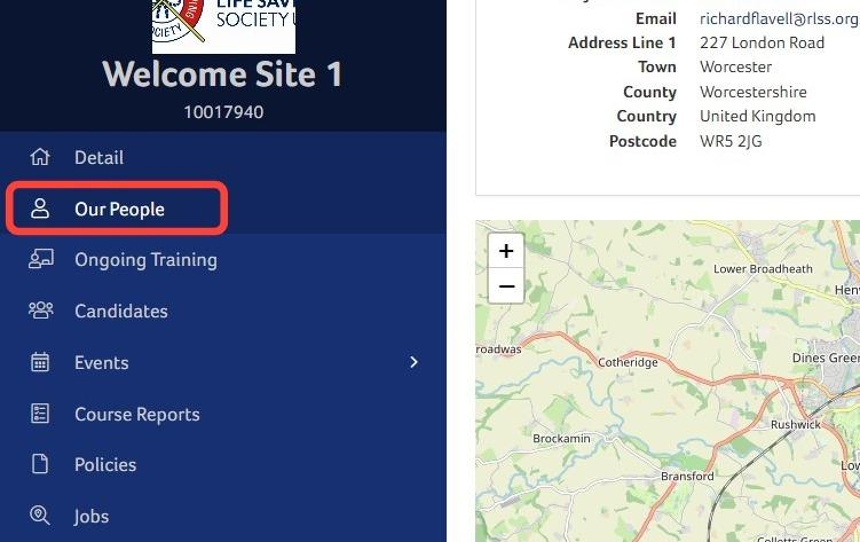
2. Click "Our People"
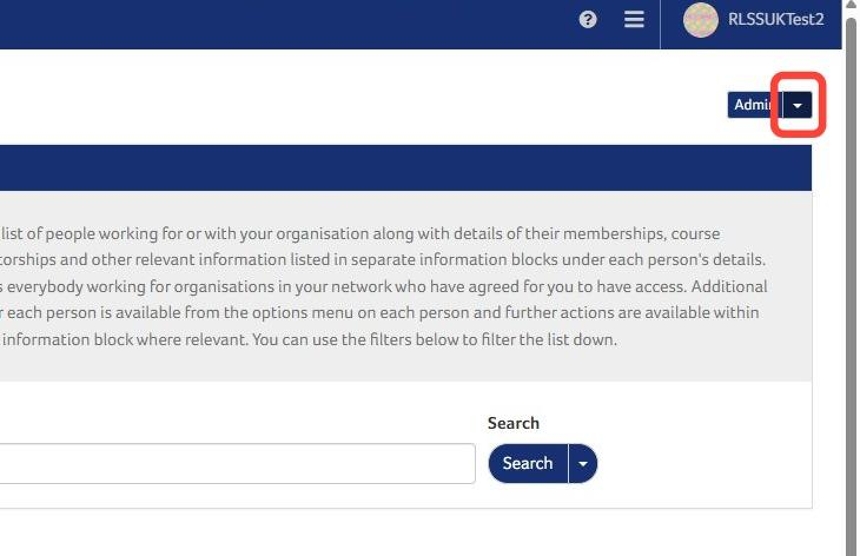
3. Click the "Admin" toggle menu button.
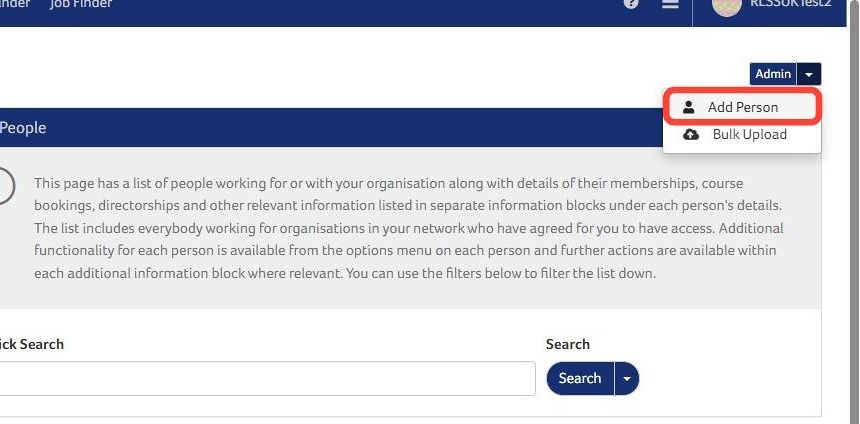
4. Click "Add Person"
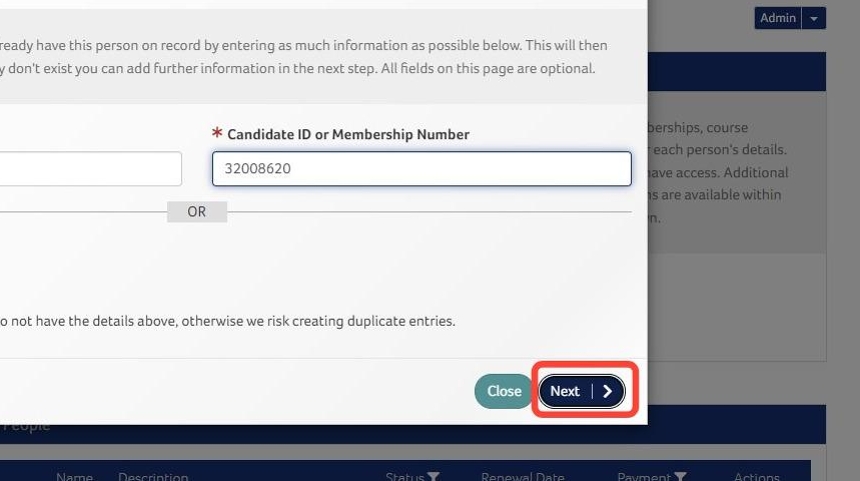
5. Enter the surname and society number.
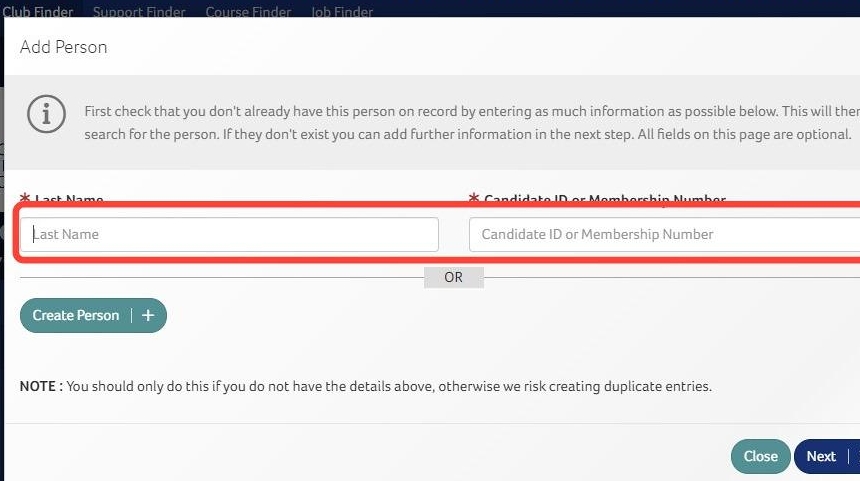
6. Click "Next".
7. Click the "+" button.
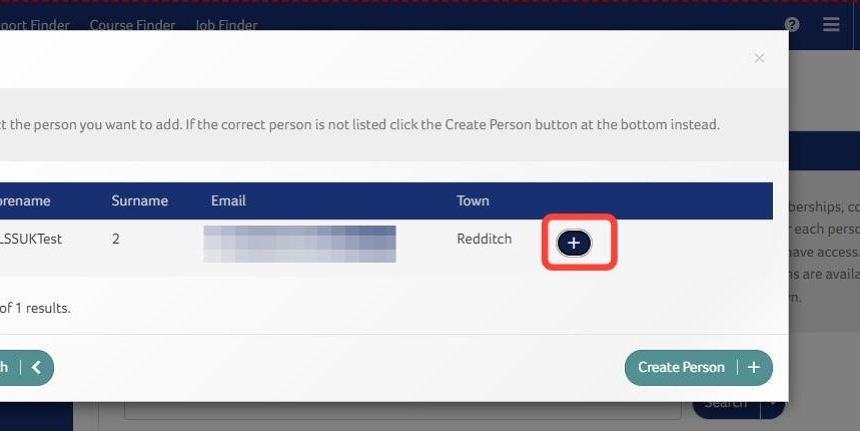
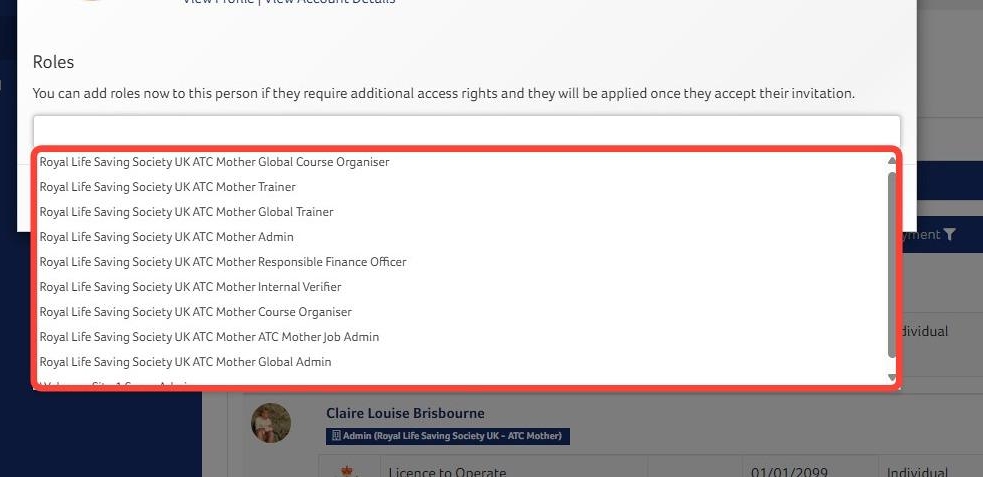
Tip: The staff member has been added at this point and you can click anywhere on the screen to exit if a role is not required.
8. Click to add any role (if required).
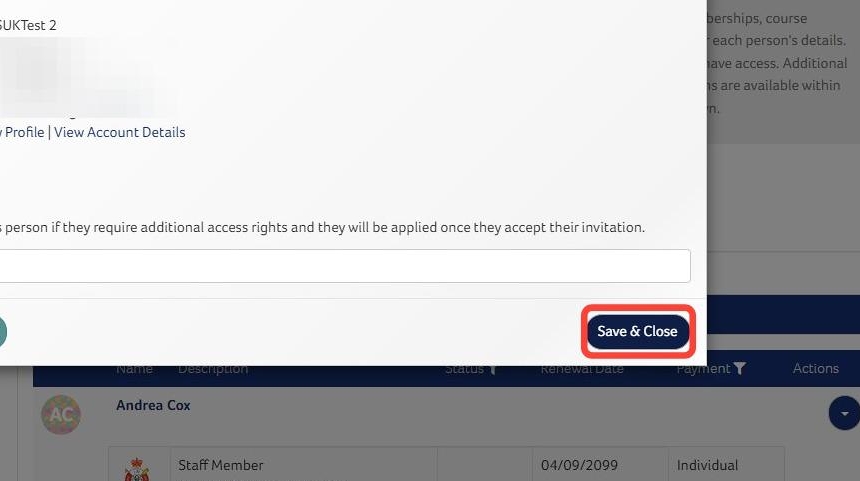
9. Click "Save & Close"
Need More Information?
Qualifications and Awards | Water Safety Advice | My RLSS UK
For more ways to contact us, visit www.rlss.org.uk/contact-us.